When configuring SharePoint 2013 in “Complete” mode you get a “The username is invalid. The account mist be a valid domain account” when using a local account to configure the farm…
![image_thumb[15]](http://blog.hinshelwood.com/files/2012/08/image_thumb151.png "image_thumb[15]")
Figure: You need a domain to create a farm
The implication is that only Domains are supported.
Applies To
- SharePoint 2013
Findings
Out of the box SharePoint only supports “Stand-alone” mode for non domain environments, but this forces you to use SQL Server 2008 R2 Express Edition which is most cases is unacceptable.
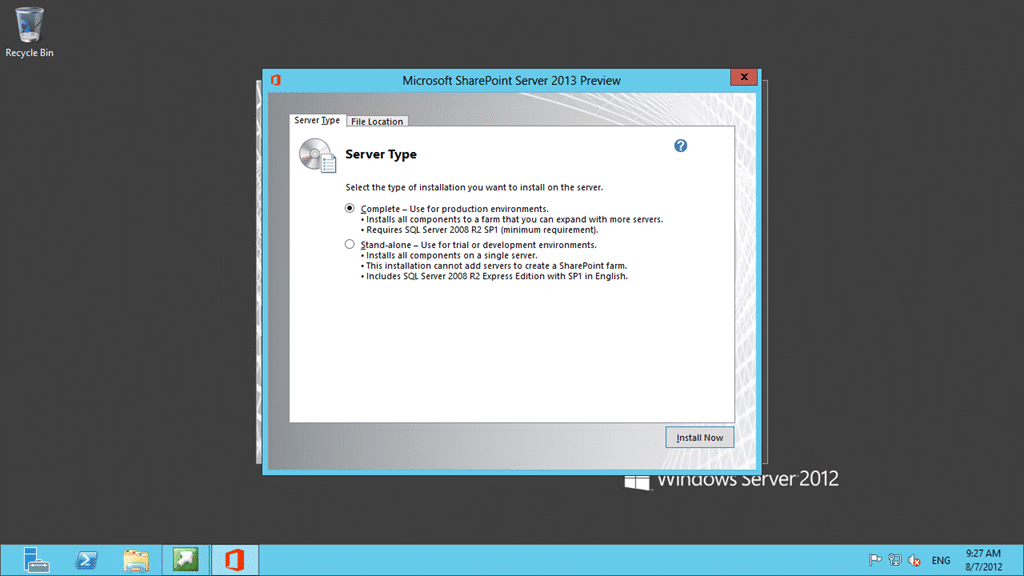
Figure: “Stand-alone” used SQL Server 2008 R2 Express Edition
The UI is designed for the happy path and you need to drop to the command line to do anything else.
Solution
Use a PowerShell command to create the initial configuration of the farm with a local account:
-
Start the SharePoint PowerShell
-
Run “New-SPConfigurationDatabase” from the command line and follow the instructions
![image_thumb[16]](/blob//articles/issue-sharepoint-2013-the-username-is-invalid-the-account-must-be-a-valid-domain-account/images/image_thumb16_thumb-2-2.png "image_thumb[16]")
Figure: New-SPConfigurationDatabase creates the farm for you This will create the farm and configure the necessary accounts.
-
Rerun the Configurtion wizard After it finishes start the Config Wizard (interactive or not) and configure your server with all components
[![image_thumb[17]](images/image_thumb17_thumb-4-4.png "image_thumb[17]")](http://blog.hinshelwood.com/files/2012/08/image_thumb17.png)Figure: Just don’t disconnect from this server farm
![image_thumb[16]](http://blog.hinshelwood.com/files/2012/08/image_thumb161.png "image_thumb[16]")
This works just fine with SQL Server 2012.
Did this help you?


