I am having a little problem with Visual Studio 2008 that only started after I had installed Office 2010. I found this interesting post on Visual Studio 2008 Locks or Freezes in ASPX from Rinat Abdullin that was a complete match to the problem I am having.
Basically VS just bings at you whenever you click anywhere as if there is a model dialog open after opening and trying to edit an aspx file.
If you get this problem then there is a simple solution, well, one that worked for me. You need to run a repair on the “Microsoft Visual Studio Web Authoring Component” that is part of Office 2007.
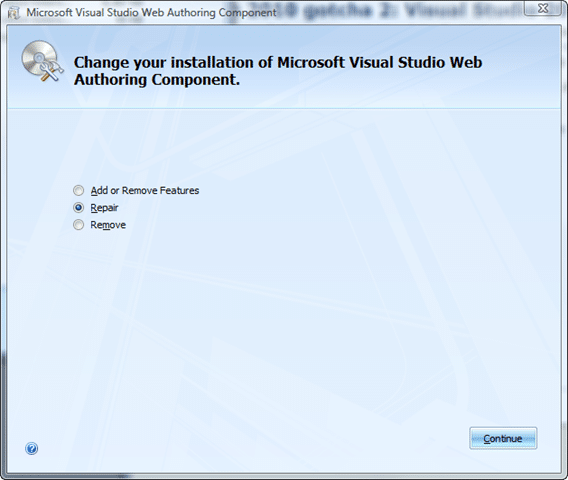
You can find the setup in the following locations:
Windows 64bit
C:Program Files (x86)Common Filesmicrosoft sharedOFFICE12Office Setup ControllerSetup.exe
Windows 32bit
C:Program FilesCommon Filesmicrosoft sharedOFFICE12Office Setup ControllerSetup.exe
My guess is that when Office 2010 is installed it has a new version of this component that has not yet been made compatible with Visual Studio 2008…
It was a frustrating couple of hours this morning to figure it out with the bulk of the time taken up with an ineffectual repair of Visual Studio 2008 SP1, ahh well, now I know…

