When you try to do a “Get” from TFS Preview you receive a “underlying connection was closed” and often a TF400898.
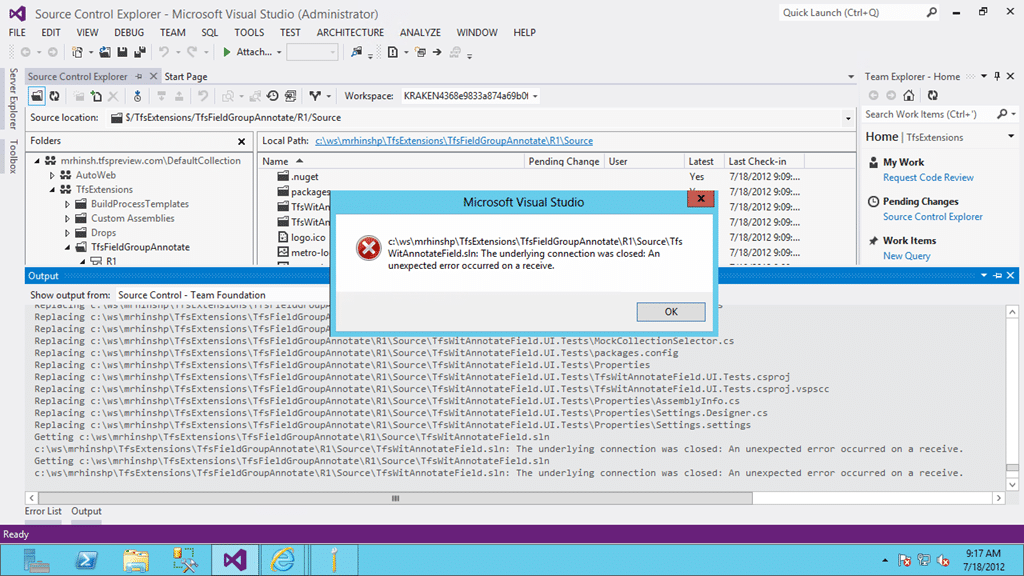
Figure: The underlying connection was closed
This may happen on one or more files with different files experiencing this problem for different users.
Applies To
- Team Foundation Service (2012-7 only)
- Visual Studio 2012 RC Team Foundation Server
Findings
There are a bunch of checks that you want to do in order to make sure that this is indeed a TFS problem and not a local one.
- Restarting VS
- Restarting Machine
- Delete and recreate workspace
- Try on multiple computers
In all circumstances TFS thinks that the file is checked in but that I don’t yet have it locally.
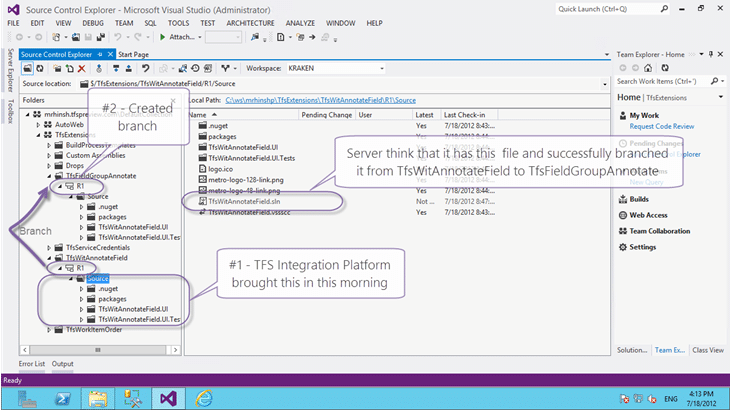
Figure: Tfs Preview Lost a file
I was far more concerned with the fact that TFS can lose a file than in the file that was lost but this is a big complex system and glitches will happen. Its how they are handled that is important.
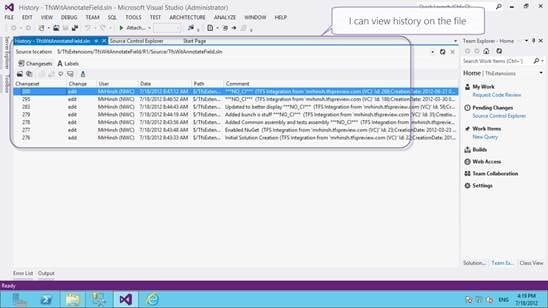
Figure: I can view history on the missing file
If you find something like this then you need to contact the product team through http://tfspreview.com.
Conclusion
I escalated this to the Product Team and after a few questions and screenshots they investigated and identified a bug in VC subsystem which under certain circumstances can result in deleting files. Here are the technical details:
A call to the Upload server call in Dev11 consists of three database calls. Version control is the orchestrator of the operation and it controls these three steps. Steps 1 and 3 are VC steps. Step 2 is owned by the file service.
- Pre-upload (prc_PreUploadFile) – checks to make sure the server item ($/…) for which the user is calling is eligible for upload (existence check, etc.)
- Upload – this phase is delegated to the file service. At the end of this call, the row in tbl_File is created and its OwnerId is set to 1.
- Post-upload (prc_PostUploadFile). The row for this item in tbl_PendingChange is modified to get the FileId for the row in tbl_File.
There is no overarching transaction for these three steps. If prc_DeleteUnusedContent runs between steps 2 and 3 above then it will garbage collect the file ID it just created because it appears the file ID is unrooted in VC.
I applied a temporary mitigation to your account through which you should be able to access the file. Can you please re-try accessing the file and let me know if you still are able to repro the issue now?
We already ported a fix into RTM & will be working on deploying a hotfix to the service on Friday or Monday.
-Madhu Kavikondala
This had now been fixed not just for me, but across both the hosted service and for the TFS 2012 RTM 
Are you having problems with TFS Preview? Don’t sit and fizz… Check the TFS Preview status or raise a bug.


